Software for electronics shops in Pakistan

Know which exact unit you sold, to whom and until when it is under warranty. Sell on installments and keep every due date in one app.

HisabOn serial and IMEI picker at the POS with four TVs in stock

Track every unit by serial or IMEI

Mark a product as serial tracked and every unit gets its own record, so stock is a list of real items, not just a number.

  • A "Serial tracked" tag on each product
  • Stock counts follow the units you hold
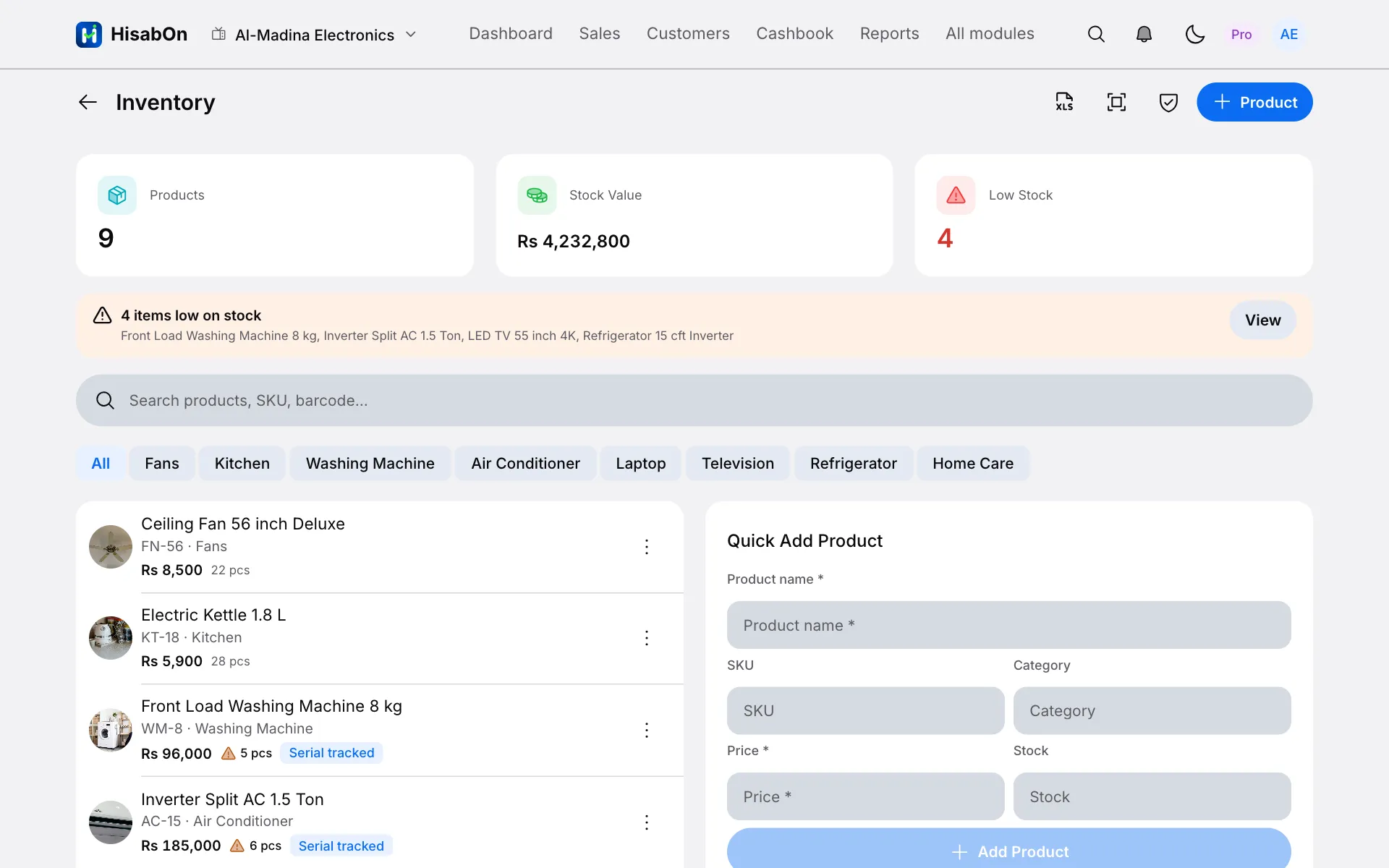
  • Low-stock alerts for fast-moving models
HisabOn inventory list with product photos and Serial tracked tags

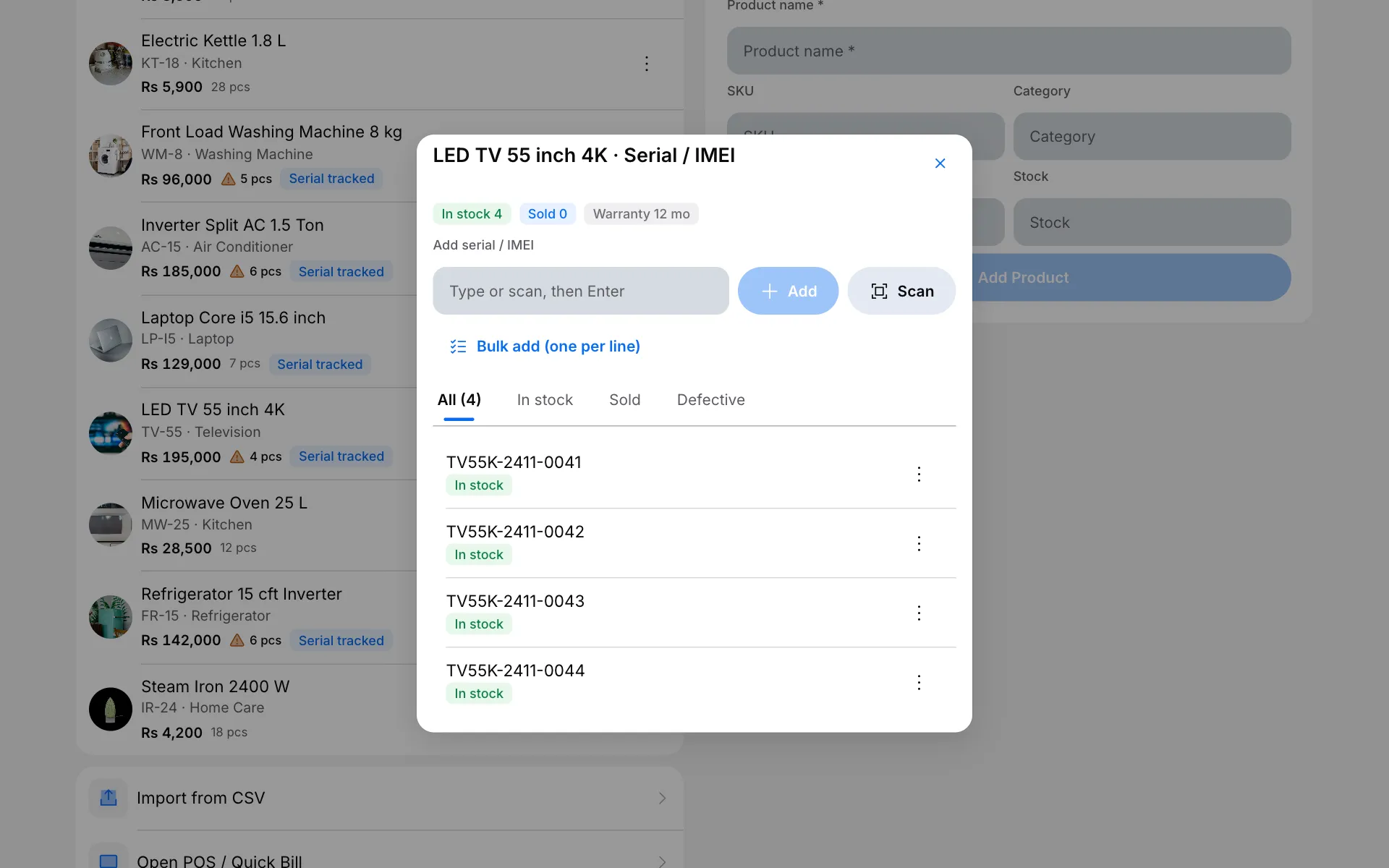
Add serials by typing, scanning or in bulk

Enter a serial or IMEI, scan it with the camera, or paste a whole delivery with one number per line.

  • In stock, Sold and Defective filters
  • Warranty period set per product
  • Scan or bulk add for new stock
HisabOn serial and IMEI manager for a TV with in stock units and a bulk add option

Pick the exact unit at the counter

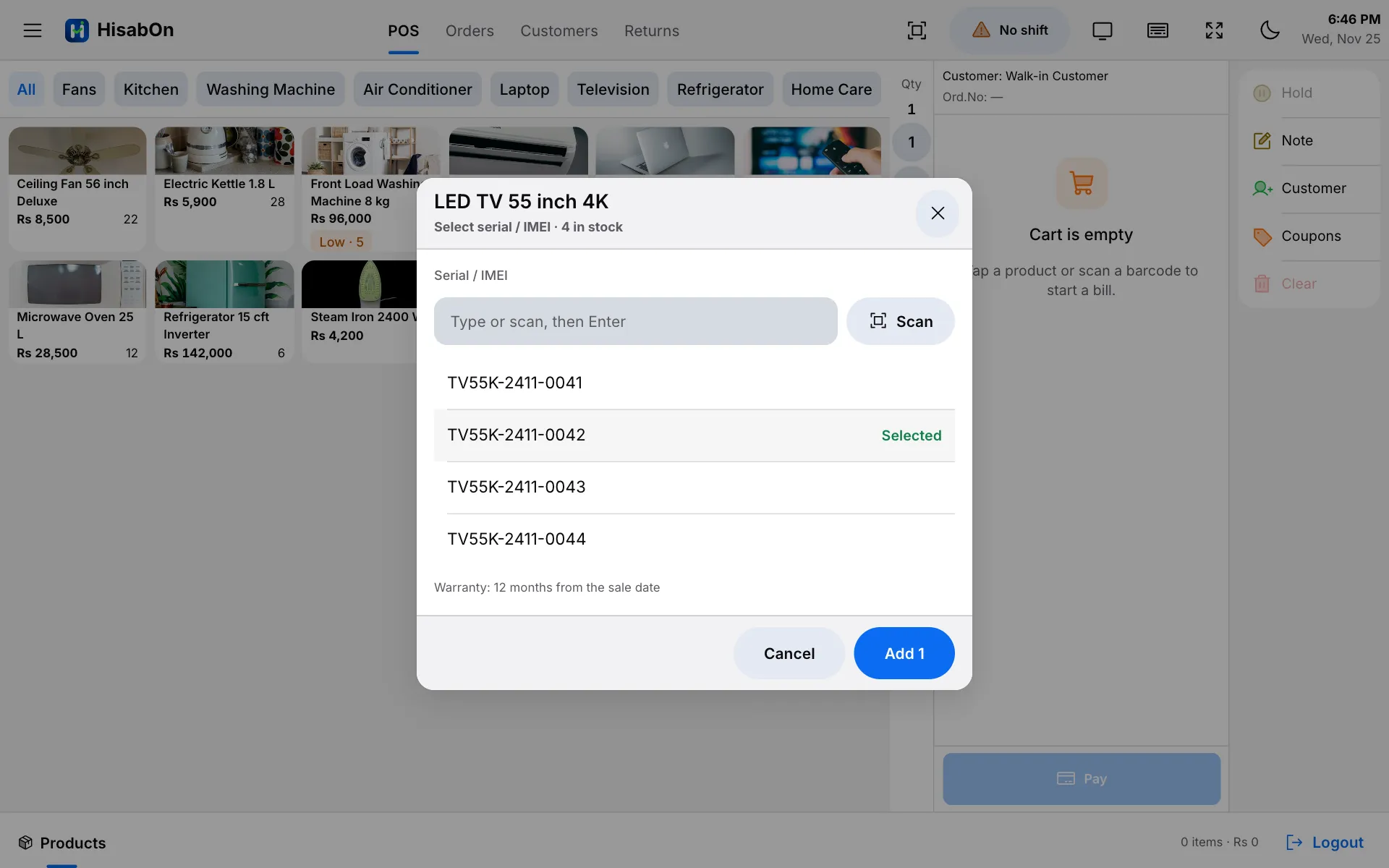
When you sell a serial tracked item, choose the unit, or scan it. The warranty period shows right there.

  • See how many units are in stock
  • Select one or several units for a bill
  • Warranty length shown before you add it
HisabOn serial picker with one unit selected and a 12 month warranty note

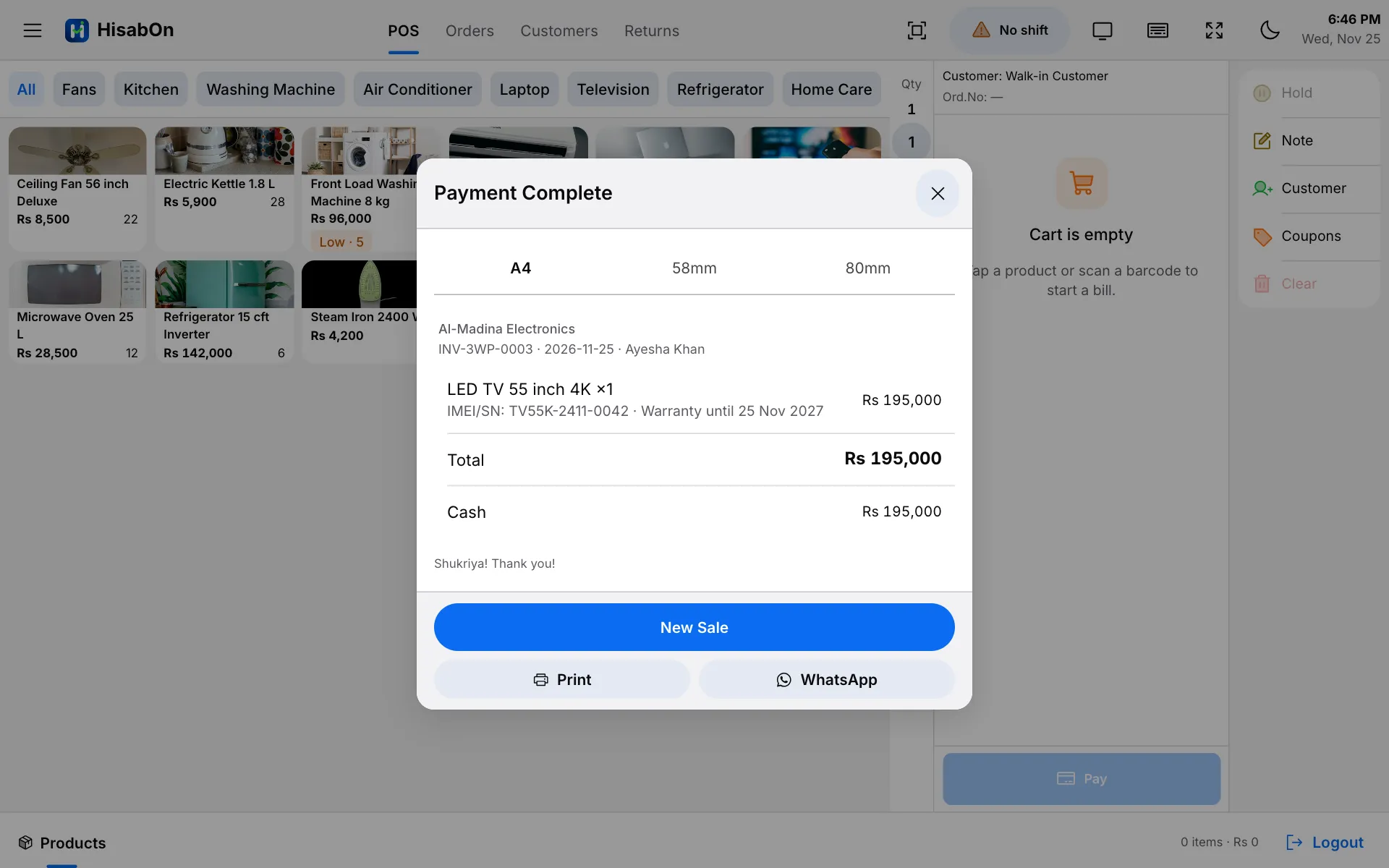
Warranty printed on the bill

The receipt carries the serial or IMEI and the date the warranty ends, so the customer and you agree from day one.

  • IMEI or serial number on the line item
  • Warranty until date calculated from the sale
  • Print, or send the bill on WhatsApp
HisabOn receipt showing a TV with IMEI or serial number and warranty until date

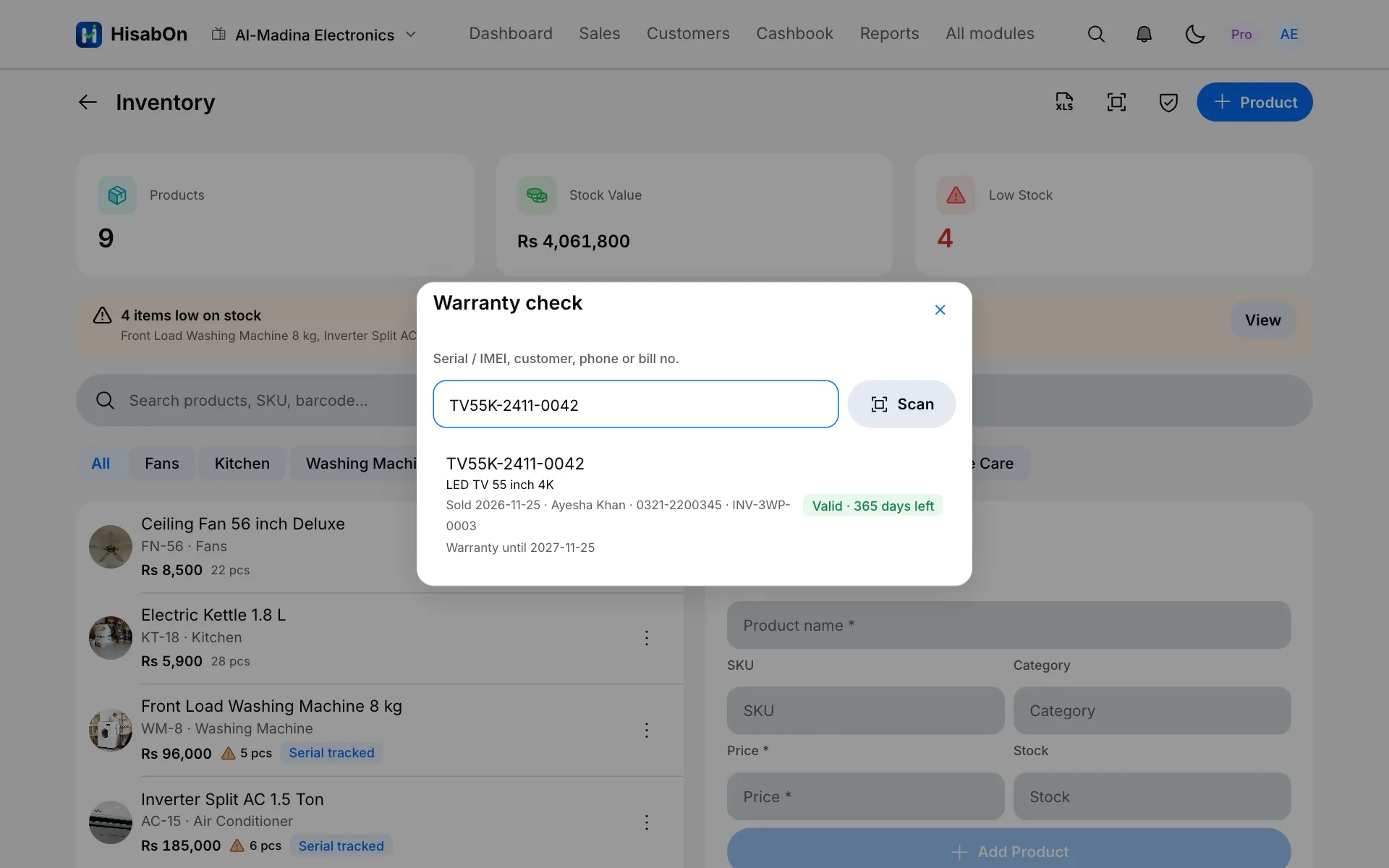
Check any warranty in seconds

A customer walks in with a problem. Search by serial, IMEI, name, phone or bill number and see the sale and whether the warranty is still valid.

  • Shows sold date, customer and bill number
  • Valid or expired, with days left
  • Scan the IMEI to look it up
HisabOn warranty check showing a valid warranty with 365 days left

Sell on installments, the qist way

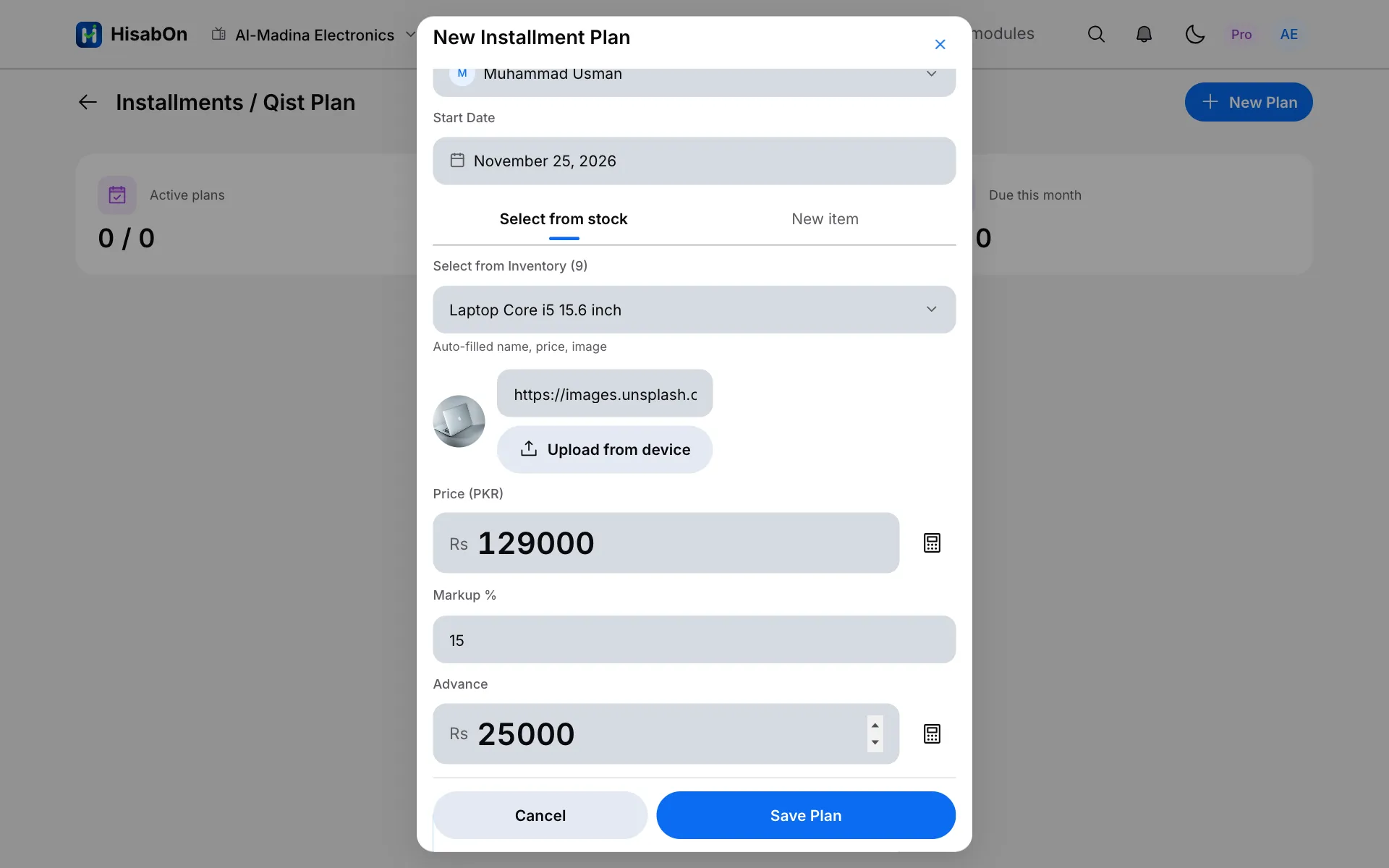
Pick the item, add a markup, take an advance and set the monthly amount. HisabOn builds the schedule.

  • Item, price and photo filled from your stock
  • Markup percent, advance and monthly amount
  • Total, advance and monthly shown before you save
HisabOn new installment plan form for a laptop with markup, advance and monthly amount

Every due date in one place

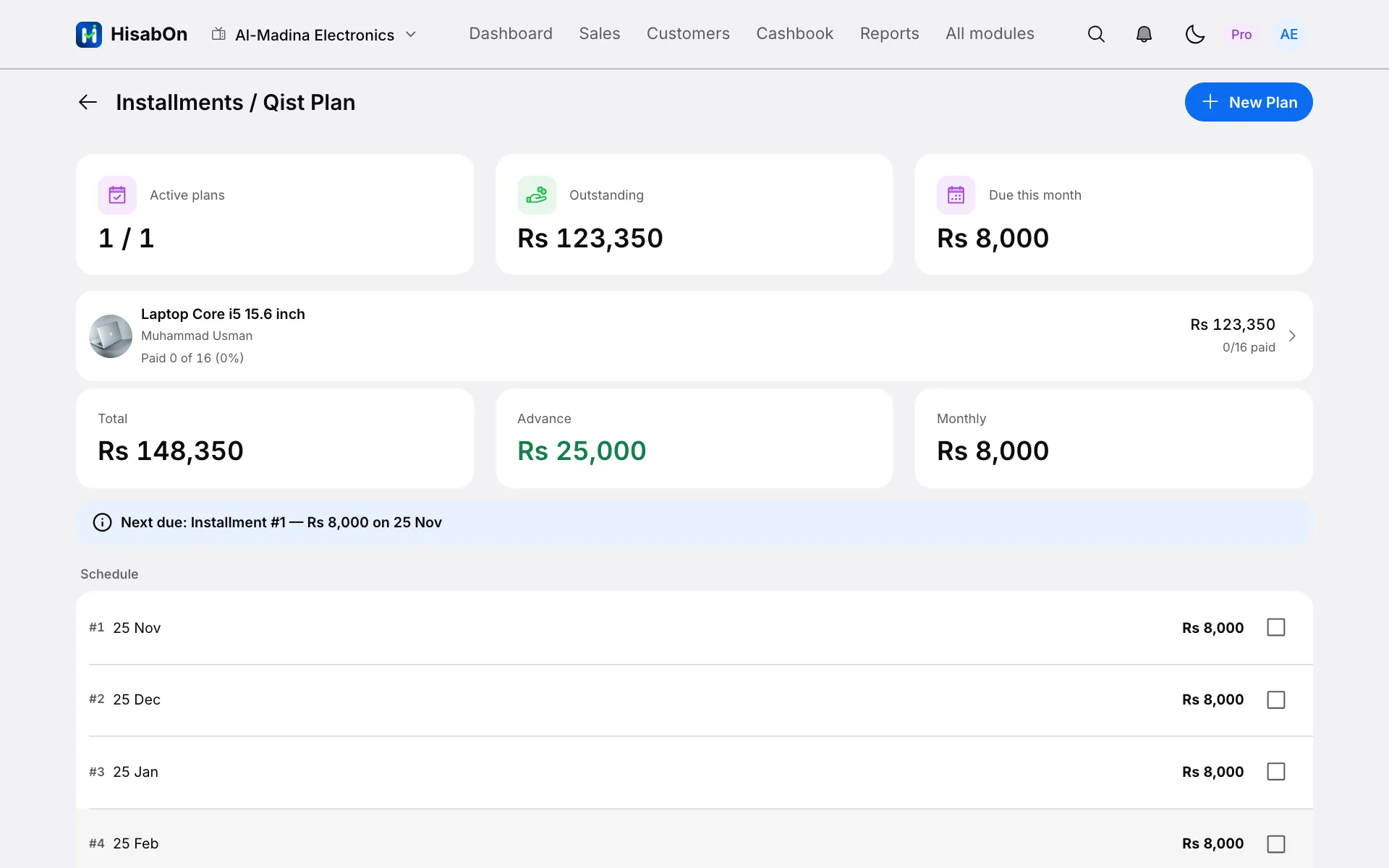
See what is outstanding, what is due this month and the next installment due, with the full schedule underneath.

  • Outstanding and due this month at a glance
  • Next due installment highlighted
  • Tick installments off as customers pay
HisabOn installment plan with total, advance, monthly amount and a month by month schedule

Your whole shop on one screen

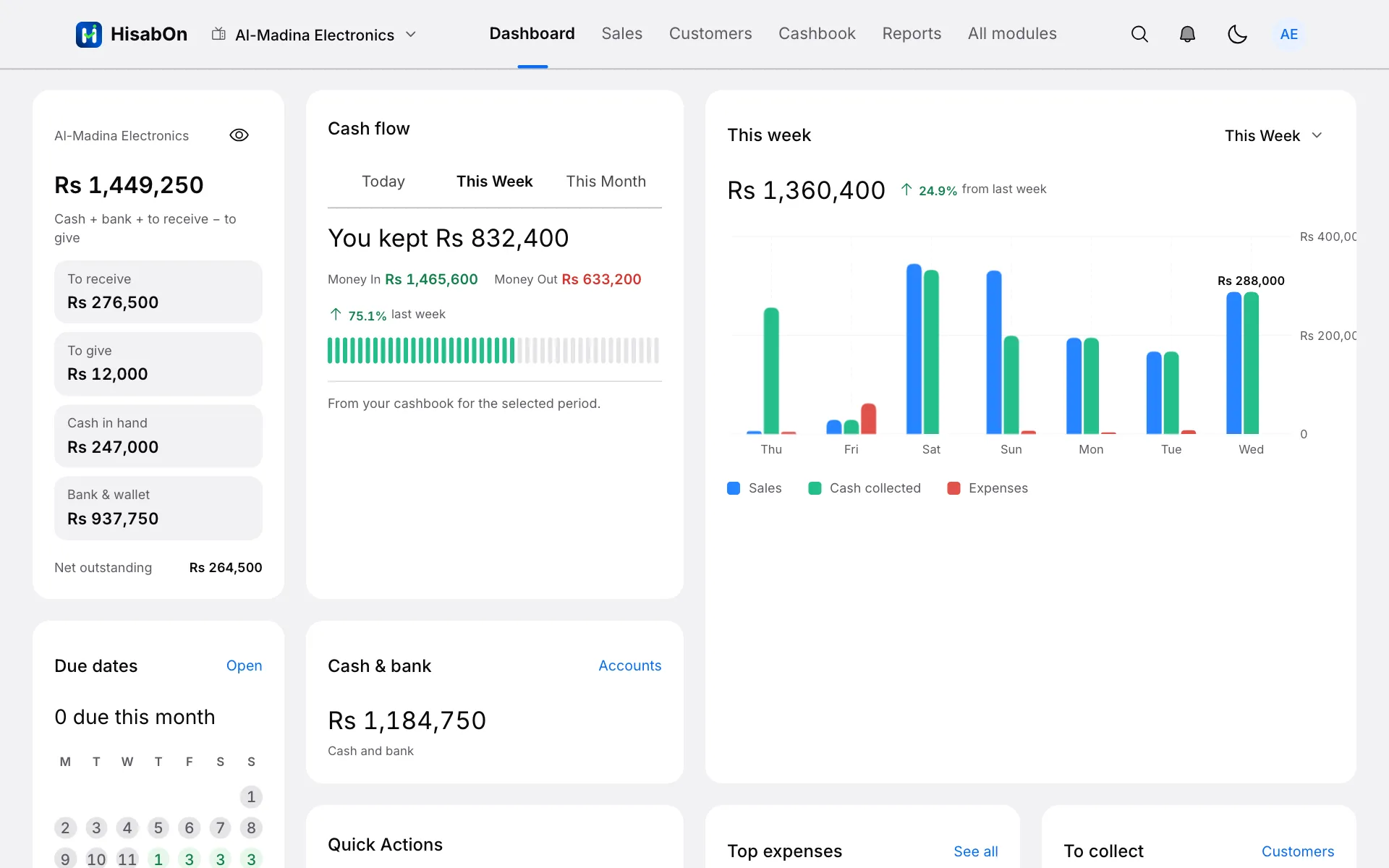
Cash, bank, receivable and payable sit together, with shortcuts for billing, stock and installments.

  • Balance, receivable and payable
  • Installments as a one-tap shortcut
  • Cash flow and weekly sales
HisabOn electronics dashboard with balance, cash flow and a weekly sales chart

HisabOn for other businesses

  • Restaurant
  • Retail storeComing soon
  • Kiryana storeComing soon
  • BakeryComing soon
  • PharmacyComing soon
  • GarmentsComing soon
  • DistributorComing soon
  • SalonComing soon
  • FreelancerComing soon
  • AgencyComing soon
  • Service businessComing soon

Electronics questions, answered

Does HisabOn track IMEI and serial numbers?

Yes. Mark a product as serial tracked and add each unit by typing, scanning or pasting a list. Every unit has its own status: in stock, sold or defective.

Can I put the warranty on the bill?

Yes. Set a warranty period on the product, and the receipt shows the serial or IMEI and the date the warranty ends.

How do I check a customer’s warranty later?

Open Warranty check, then search by serial, IMEI, customer name, phone or bill number. You see the sale and whether the warranty is still valid.

Can I sell on installments?

Yes. Create a plan with the item, a markup, an advance and a monthly amount. HisabOn builds the schedule and tracks what is outstanding and due each month.

Does it work offline?

Yes. Billing, serial tracking and installments are saved on the device first and sync when you are back online.

Start keeping your hisab today

Open HisabOn in your browser now. The Android app is coming to Google Play.

Start free on the web